Installation
Swift Package Manager (recommended)
Package.swift
dependencies: [
    .package(url: "https://github.com/jjjkkkjjj/Matft", from: "1.0.1"),
],
targets: [
    .target(name: "YourTarget", dependencies: ["Matft"]),
]
Xcode
-
Project > Package Dependencies > +
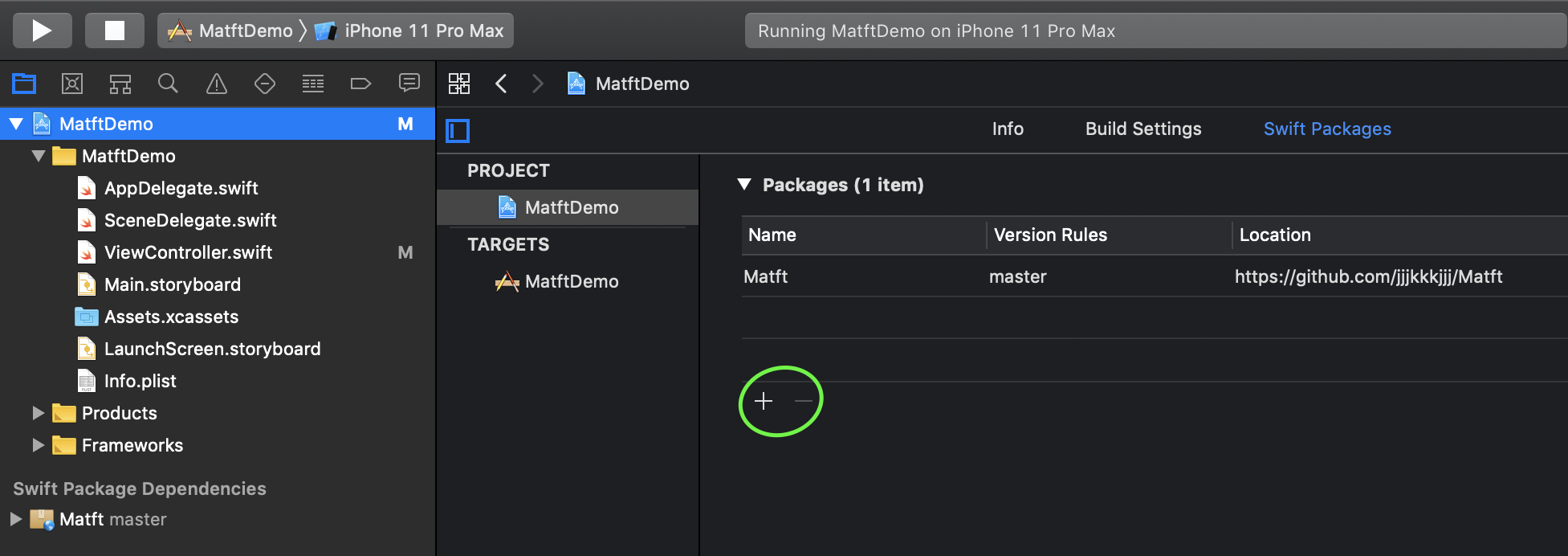
-
Enter
https://github.com/jjjkkkjjj/Matftand select the rules
-
To update: File > Packages > Update to Latest Package Versions
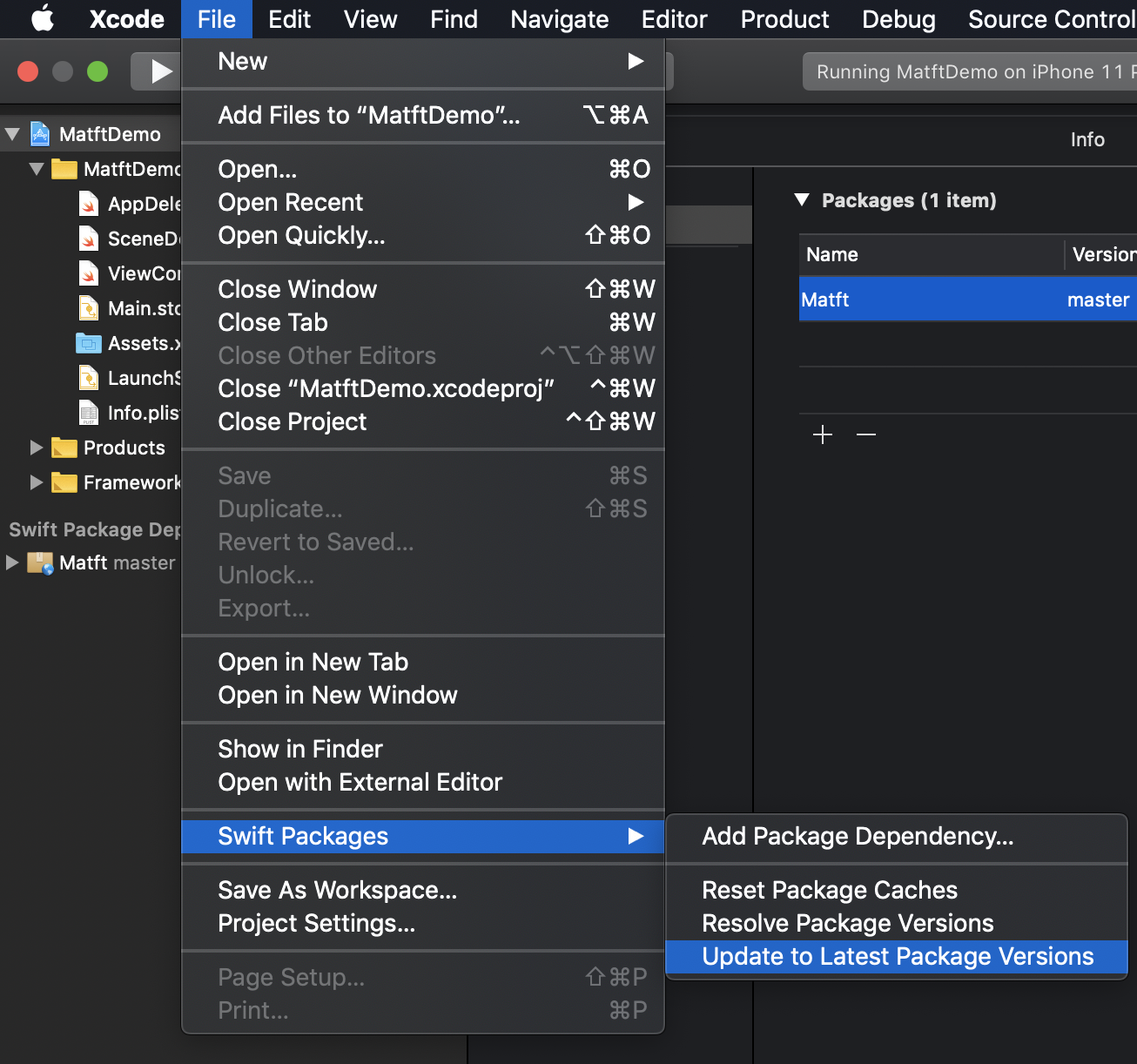
Carthage / CocoaPods
warning
These installations are outdated. Please install Matft via SwiftPM.
Carthage
echo 'github "jjjkkkjjj/Matft"' > Cartfile
carthage update ### or append '--platform ios'
Then import Matft.framework built by the above process to your project.
CocoaPods
pod init # skip if you already have a Podfile
Write pod 'Matft' in the Podfile:
target 'your project' do
  pod 'Matft'
end
pod install
Requirements
- iOS / macOS: Swift 6.1 or later, macOS 10.13+ / iOS 12+ (
platformsinPackage.swift) - tvOS / watchOS / visionOS: SwiftPM's default minimum versions apply, but they are not tested
- WebAssembly: see Contributing